Wiki » 06 Prepared integration package and ERPs »
Bevira
01 Description
- Bevira is cloud business software, enabling the building and integration of various IT solutions onto a single platform.
- www.bevira.com
- Supports 2doc, 4Doc, E-invoice
02 Setup in ERP
- In the company's basic settings (Intranet - Companies), select the API sub-page.
- Choose API type "Docura EDI". The URL is filled in by default; you need to enter the API key (clientId) and password (clientSecret).
- Then click the "Save API" button.

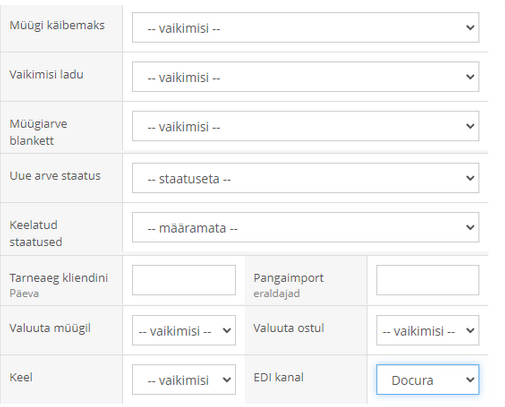
- On the desired client/vendor card, set "EDI channel" to - Docura. The setting is located at the end of the client card.
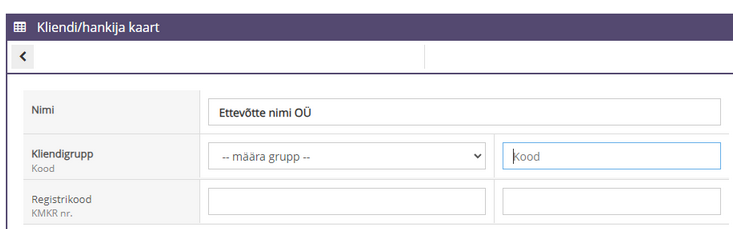
- The <PartyCode> value comes from the "Code" field on the client card.
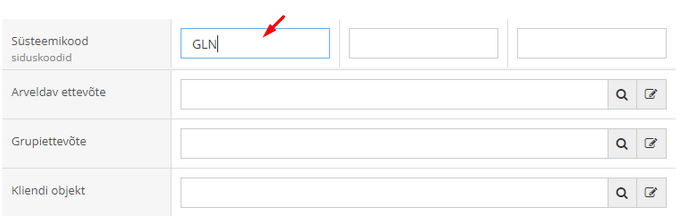
- The <GLN> code is added if a system code exists.

- During import, products are searched by EANs.
03 Setup in Docura
- Partners must be linked in the Docura web by client codes
04 Price
- Docura
- Free to join
- Document exchange: according to price list
- Bevira
- 30 EUR /month. https://www.bevira.com/hinnakiri


