


- Table of contents
- E-Invoice EE
- 01 RIK. Registering Docura as a service provider in the Business Register
E-Invoice EE
What is E-Invoice EE?
- E-Invoice EE is the Estonian e-invoice network that allows exchanging e-invoices between all legal entities registered in Estonia.
More information on the RTK e-invoice portal: https://www.rtk.ee/saldoandmikud-finantsnaitajad/saldoandmike-kasutajad/e-arved - Docura allows you to send and receive e-invoices directly from your accounting software (ERP).
Some ERP integrations have technical peculiarities that must be taken into account.
Example: Erply integration with e-invoices: https://redmine.docura.net/projects/docura-manual-en/wiki/Erply#02-E-invoicePeppol
01 RIK. Registering Docura as a service provider in the Business Register
01 Sending and formatting e-invoices in Docura. Format specifics
- E-invoices sent via Docura go directly to the Estonian e-invoice network.
Sending e-invoices is also possible without registration in the Business Register — it is enough to activate e-invoice sending in the Docura environment. - Examples of activating e-invoice sending in Docura:
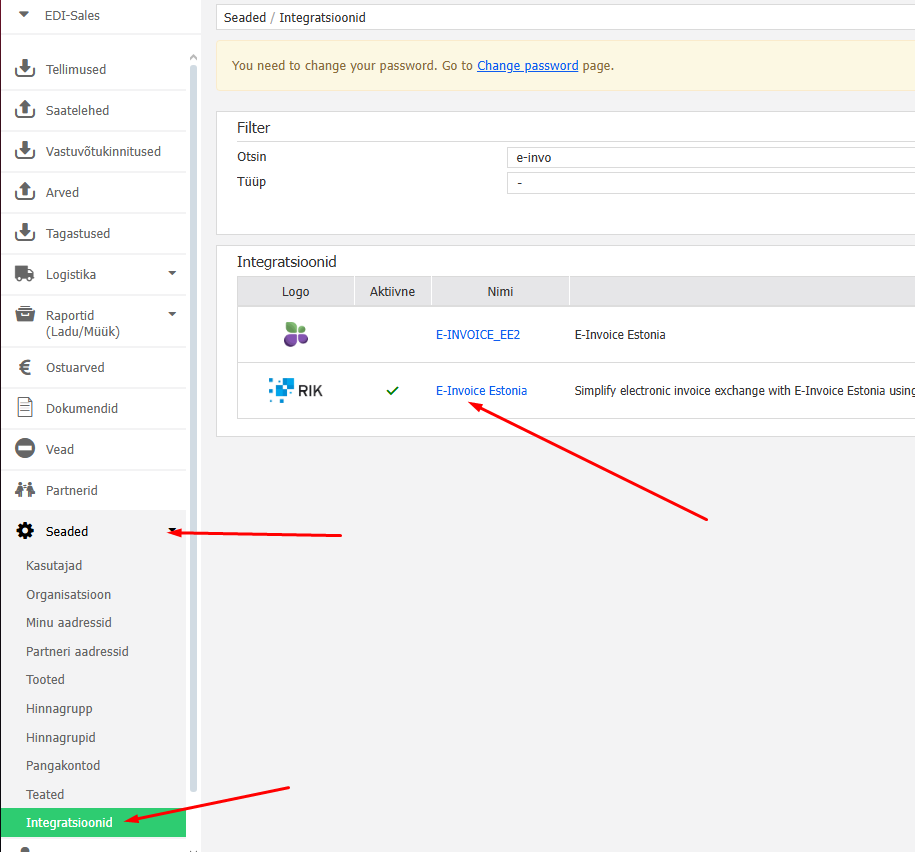
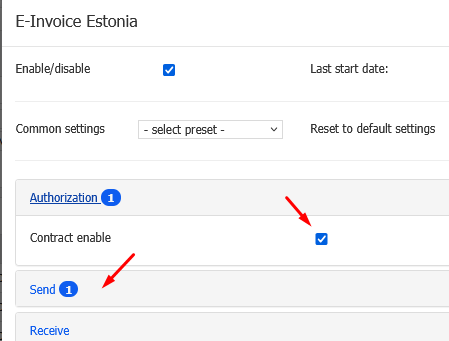
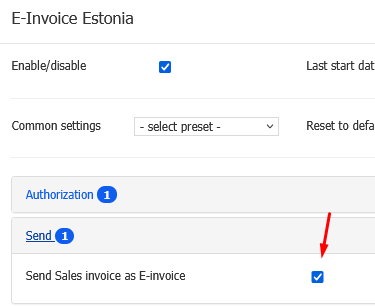
- Using the Docura or E-invoice format
- Docura supports several formats:
E-INVOICE (standard e-invoice format)
Docura / E-Document (alternative format)
If necessary, other formats can be used as well, by agreement.
- Docura supports several formats:
- Best way to send an e-invoice: If the recipient accepts the E_INVOICE format, the invoice data is forwarded unchanged.
In that case, make sure that the invoice ID starts with the word "docura", followed by the invoice number (no space).
Example:<Invoice sellerRegnumber="10731489" invoiceId="docuraGB600956" regNumber="10243330">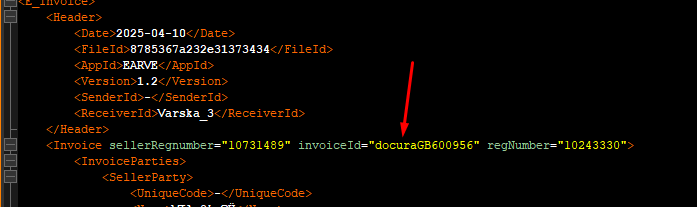
- If the recipient does not accept the E_INVOICE format, Docura automatically converts the invoice into a suitable format (e.g. E-Document → E_INVOICE).
02 Receiving e-invoices via Docura
- Activation in Docura
To receive e-invoices, the corresponding service must be activated in the Docura environment.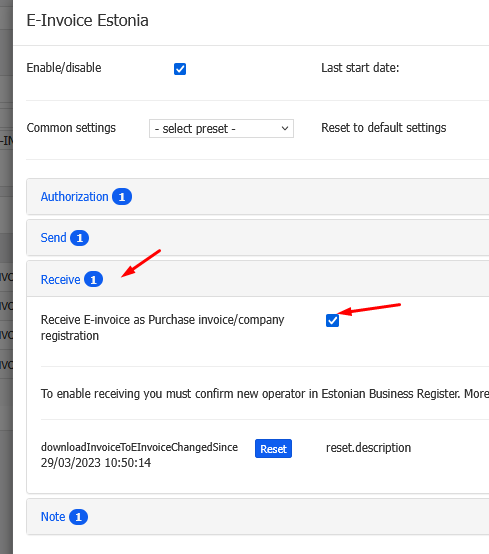
- Confirmation in the Business Register
After activation, an e-mail about changing the e-invoice operator is sent to the e-mail address of the contact person indicated in the Business Register (usually a member of the management board).
The letter may arrive within 1–2 days.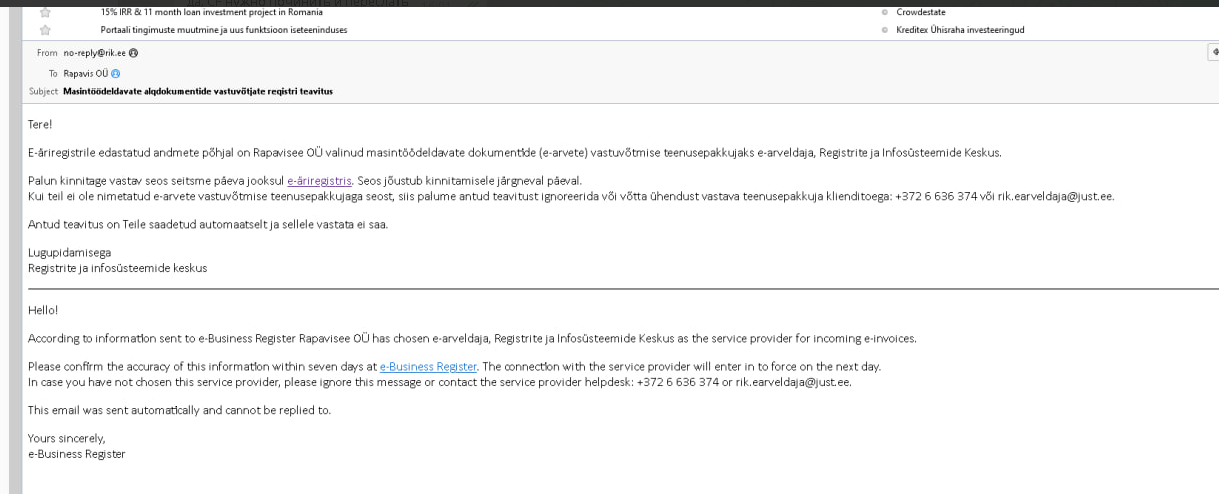
- Confirm the service provider in the Business Register:
Log in: https://ariregister.rik.ee/
In the menu select: My dashboard, and then E-invoice receiving service providers
Under the "E-invoice receiving service providers" section select e-arveldaja and confirm.- After confirmation, the following status is displayed:
"Accepts e-invoices, service provider: e-arveldaja".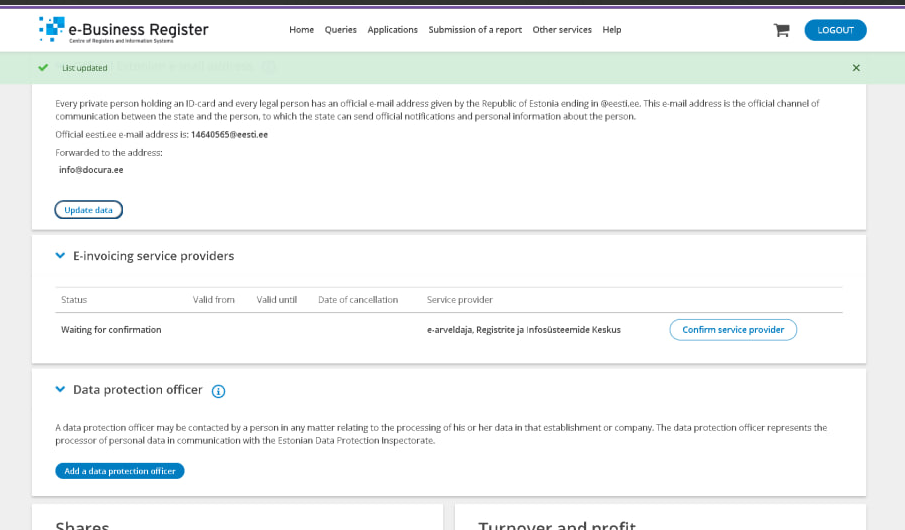
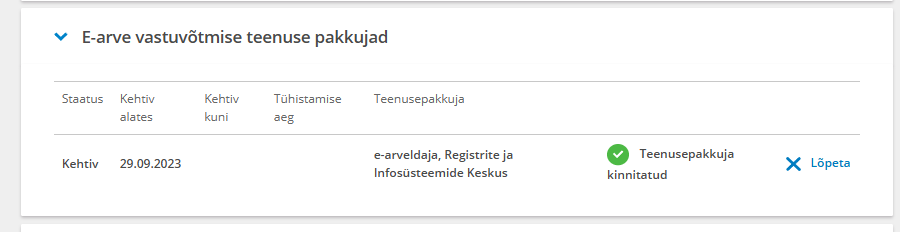
- After confirmation, the following status is displayed: