


12 Docu-Bank
Automatic retrieval and processing of bank statements via the Docura system
01 Refs
02 Bank connection guide
- In the menu, select Docu-Bank → Settings → Bank accounts.
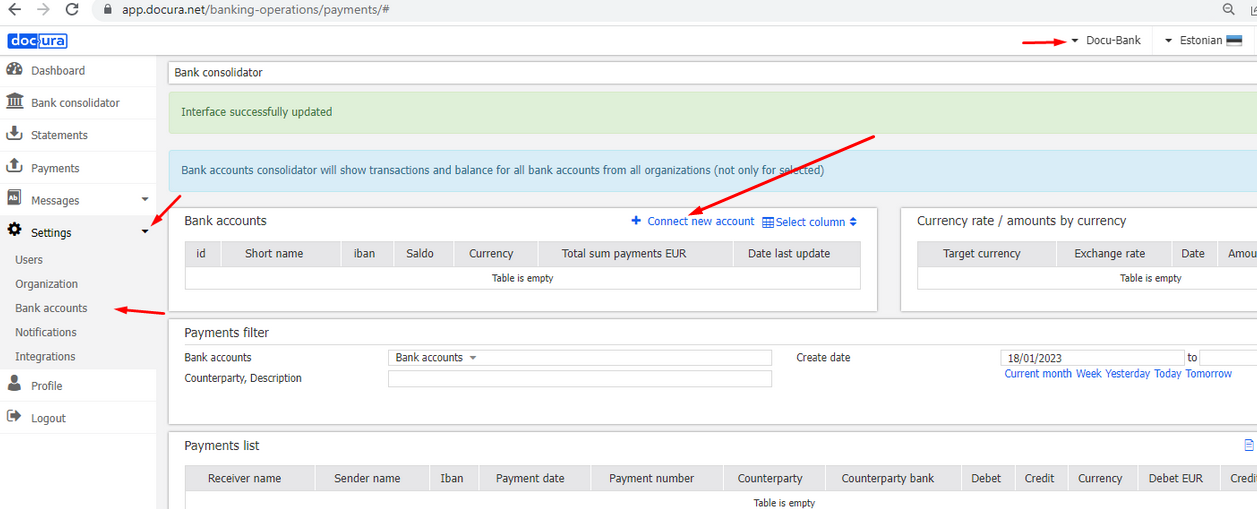
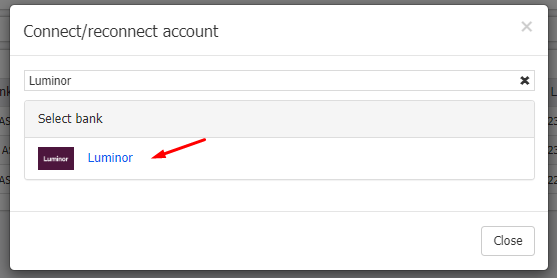
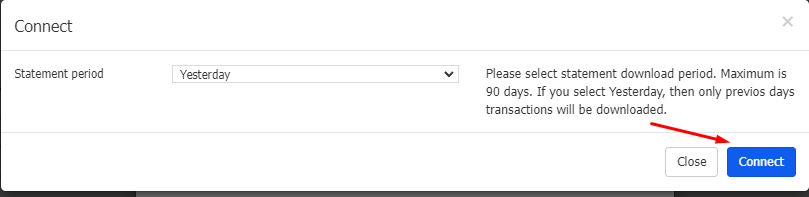
- Click Connect account and follow the instructions: log in to your internet bank and activate the service.

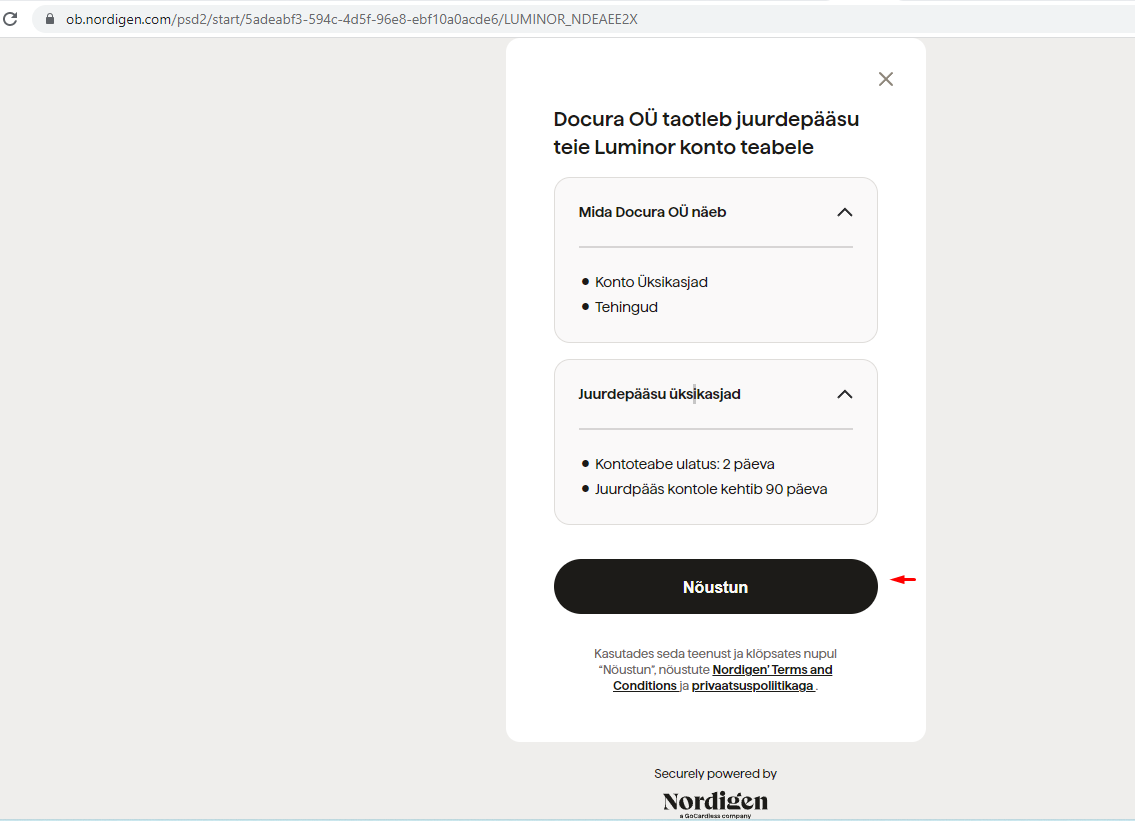
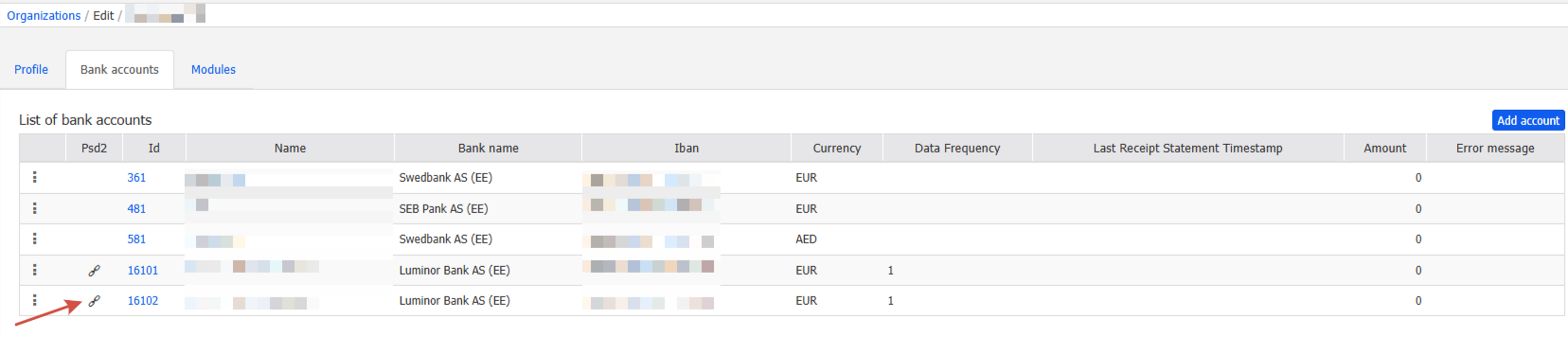
- Once the account has been connected successfully, a paperclip-shaped icon appears in front of it in the Psd2 column.
- Every three months the user receives an email asking to update the data. To do this, repeat step 2.