EDI-Sales
How to work with orders in the Docura portal?
01 2DOC: for an order (ORDER) we send the customer an invoice (INVOICE).
- Open the menu EDI Sales → Orders.
- Search for and select the required order.
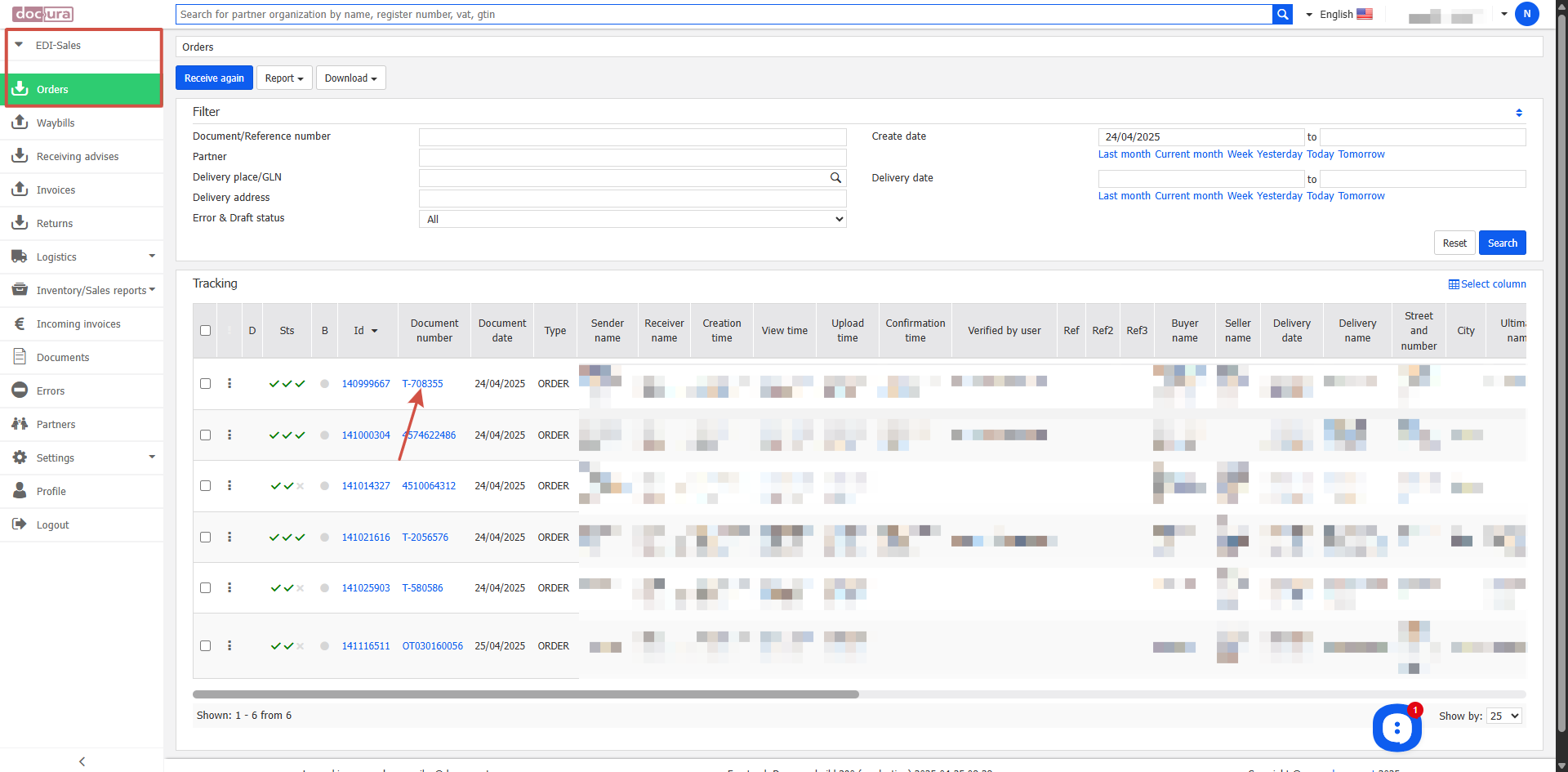
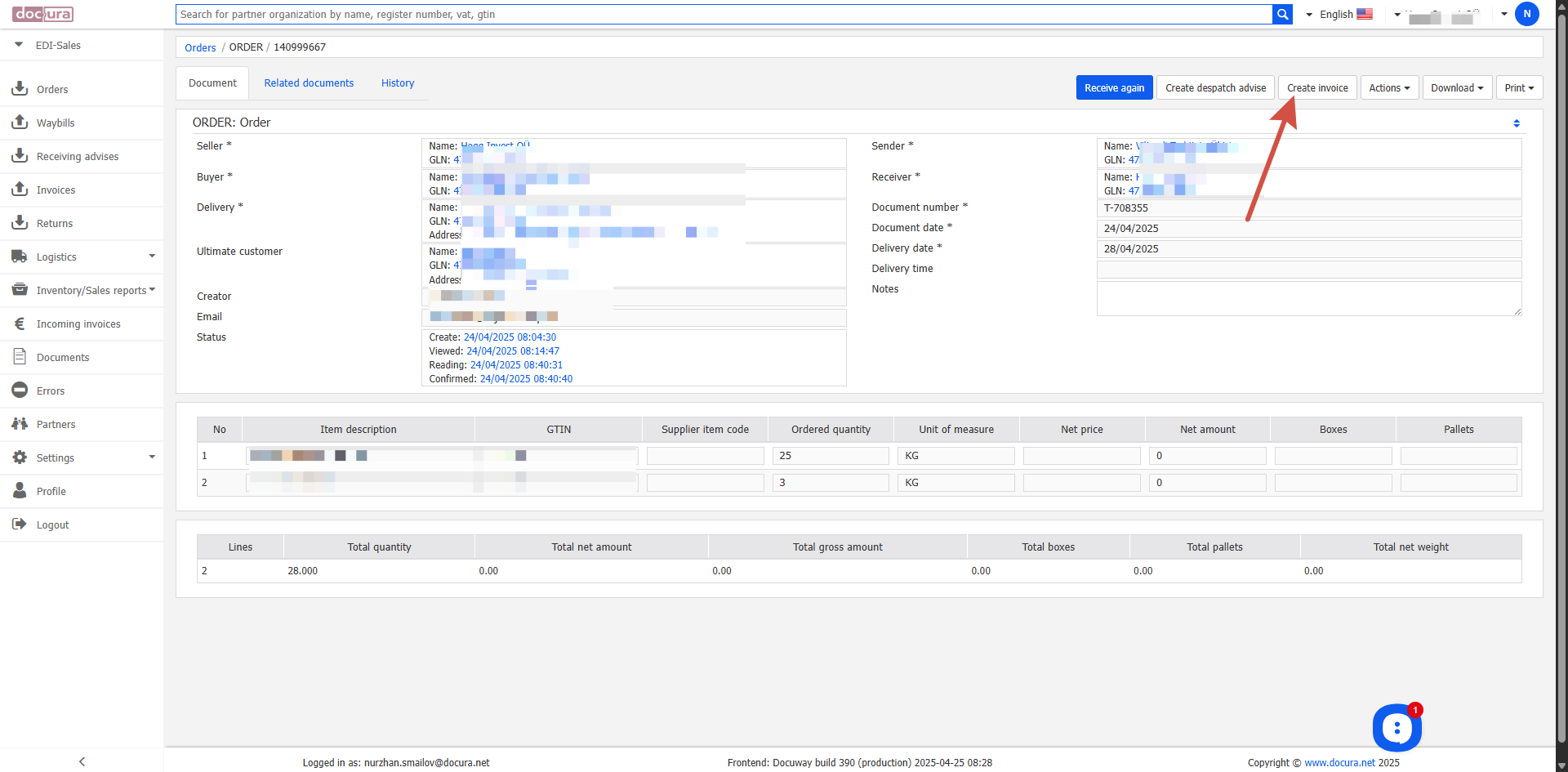
- Open the order.
- In the top right corner click the Create invoice button.
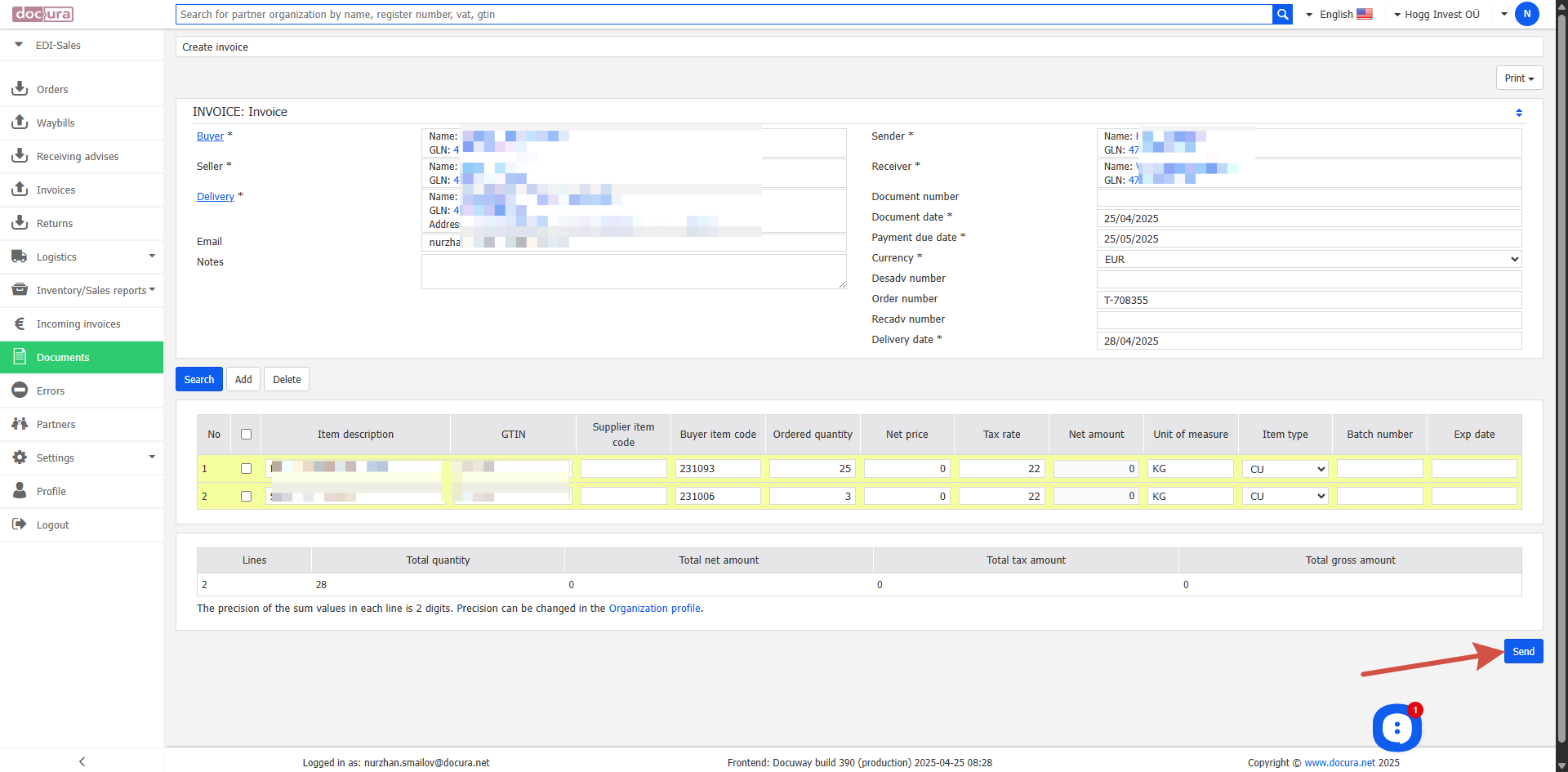
- In the new window check the data and correct it if necessary.
- After checking click Send to send the INVOICE to the customer.
02 4DOC: first a despatch advice (DESADV) is created for the order, then the customer sends a receiving advice (RECADV), and only after that an invoice (INVOICE) is created.
Creating a DESADV on the basis of an order
- Open the menu EDI Sales → Orders.
- Search for and select the required order.
- Open the order.
- In the top right corner click the Create despatch advise button.
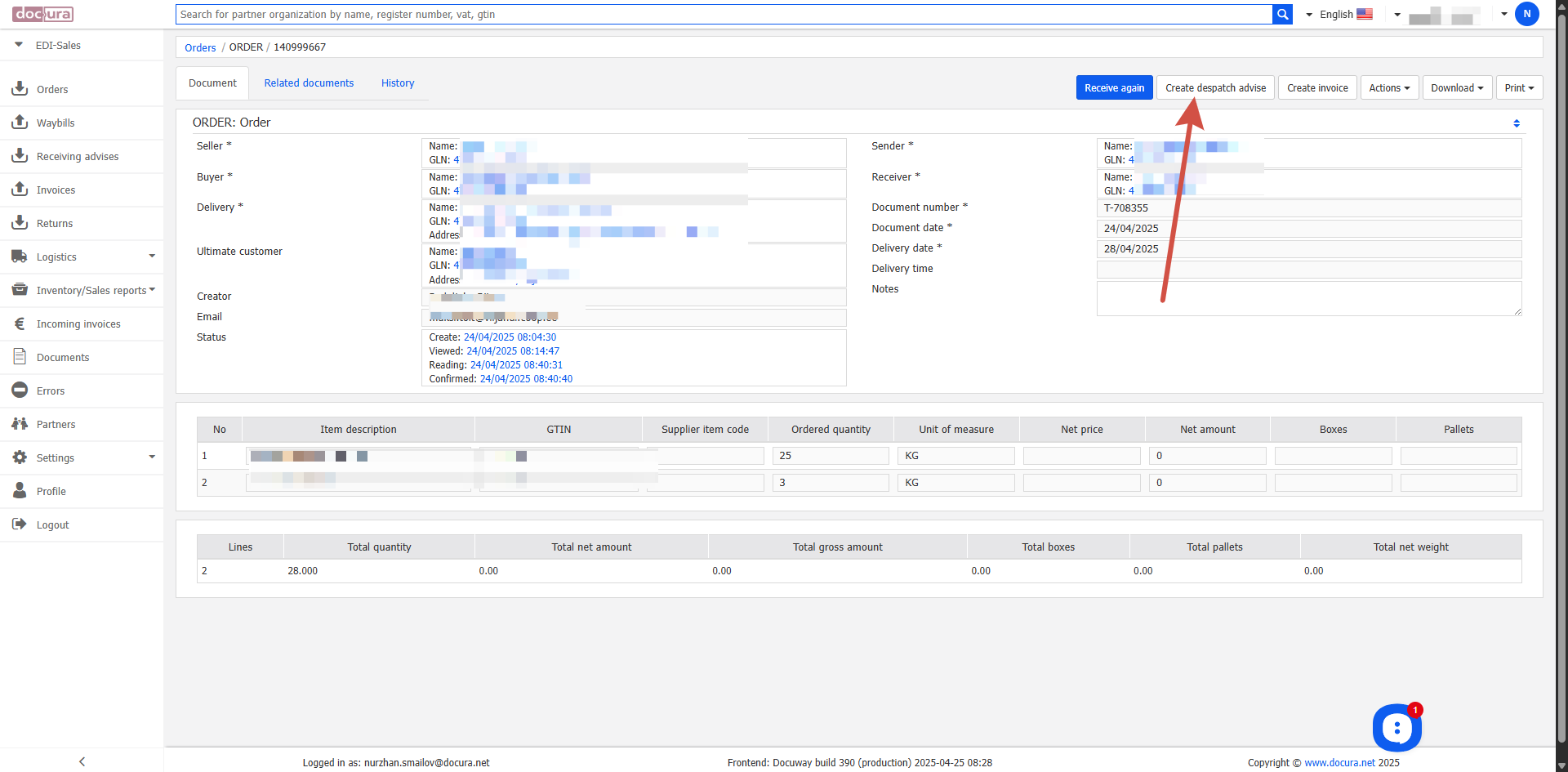
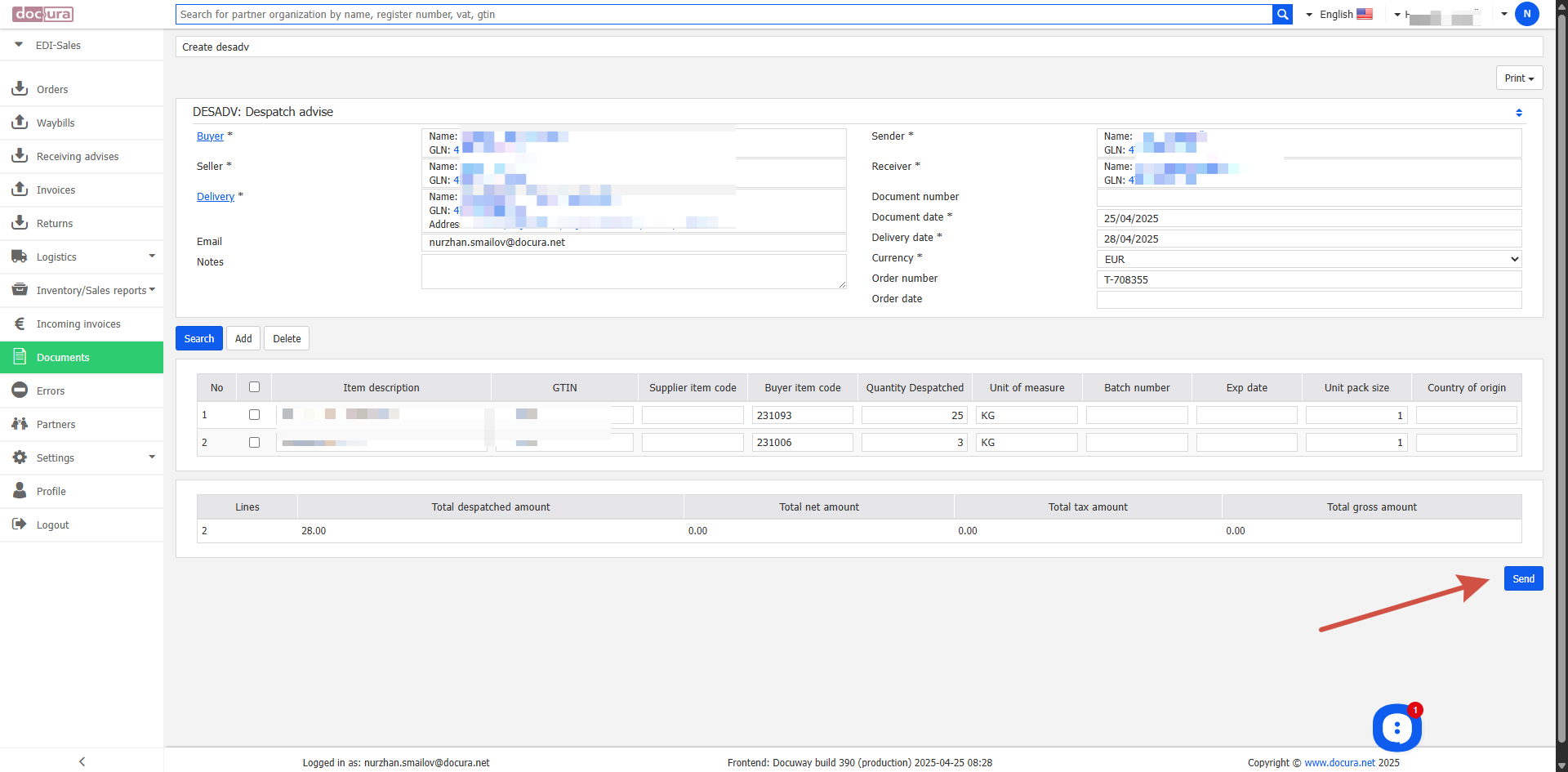
- In the new window check the data and correct it if necessary.
- After checking click Send to send the DESADV to the customer.
Creating an invoice (INVOICE) for a received RECADV
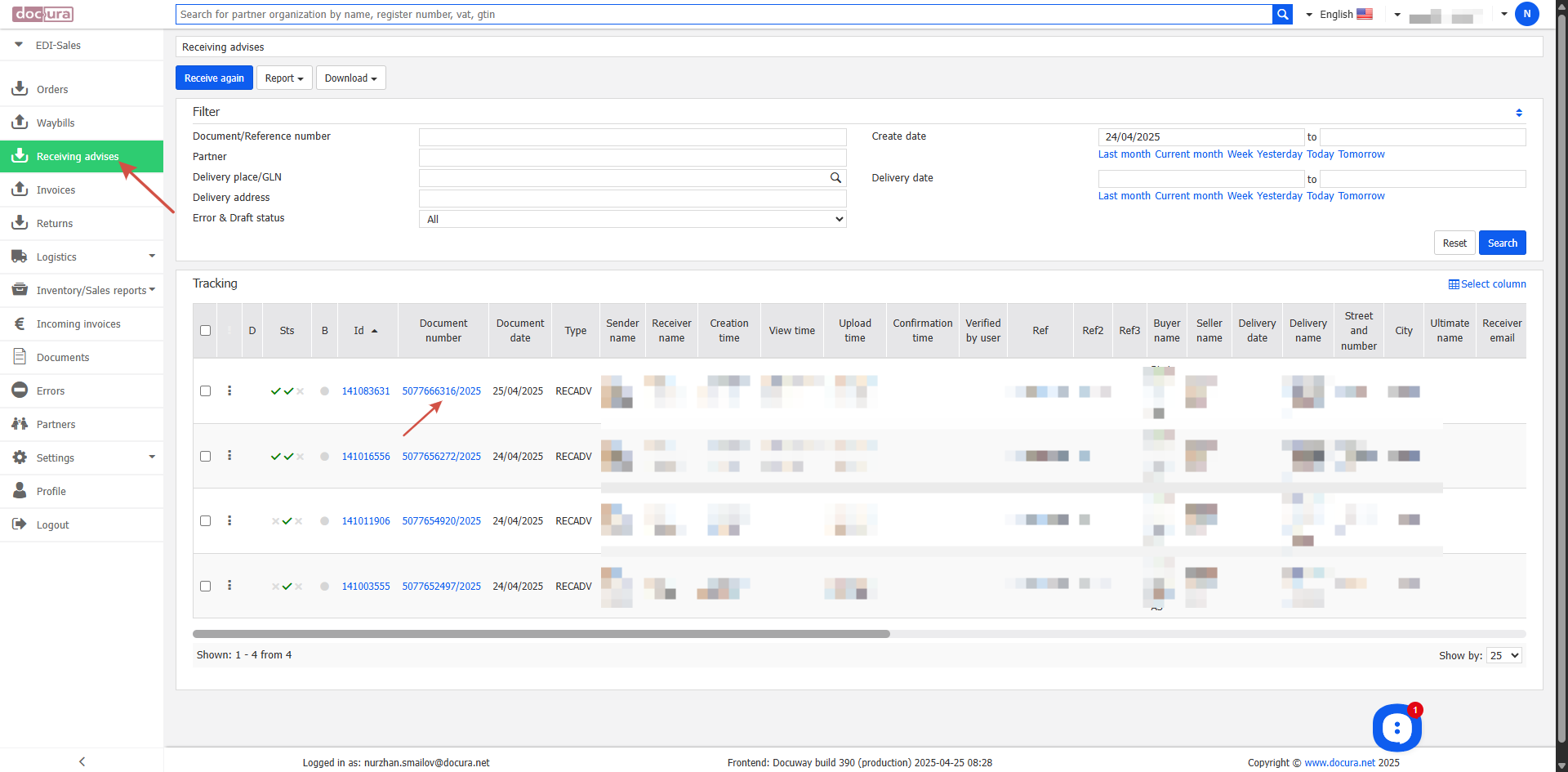
- After the customer has sent the RECADV, go to the menu EDI Sales → Receiving advises.
- Open the received RECADV.
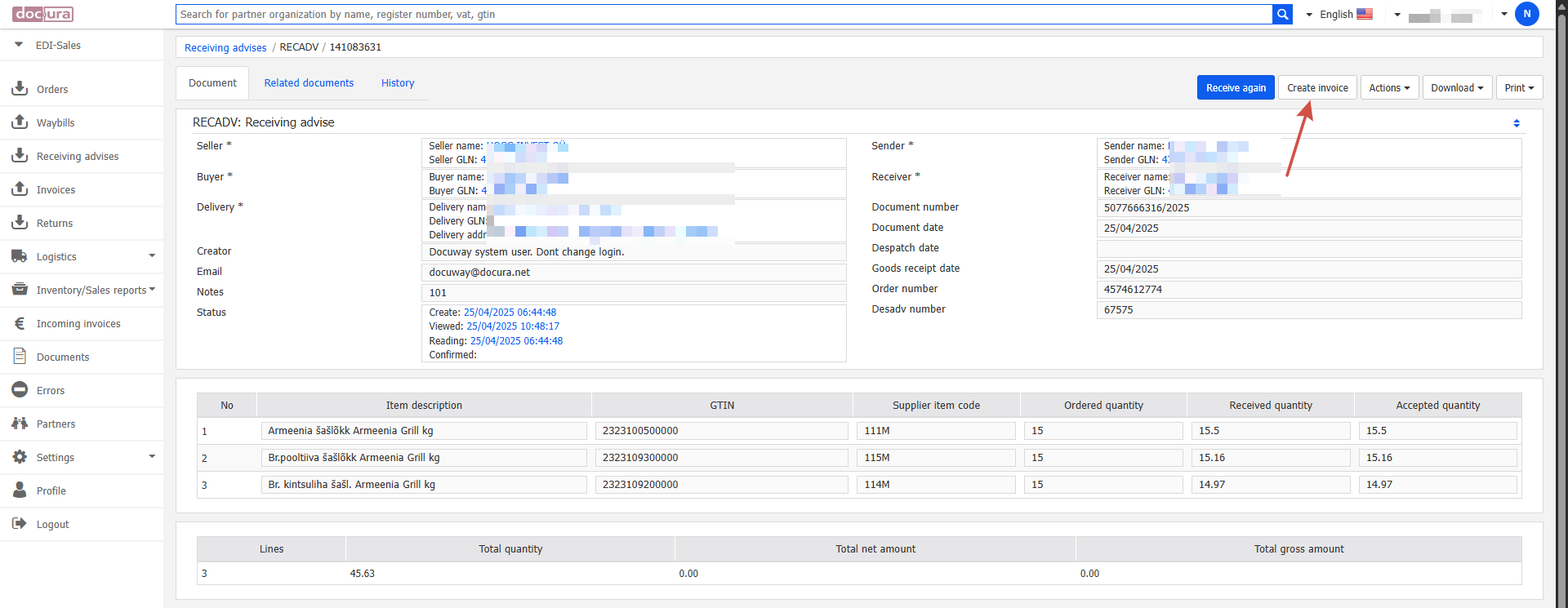
- In the top right corner click the Create invoice button.
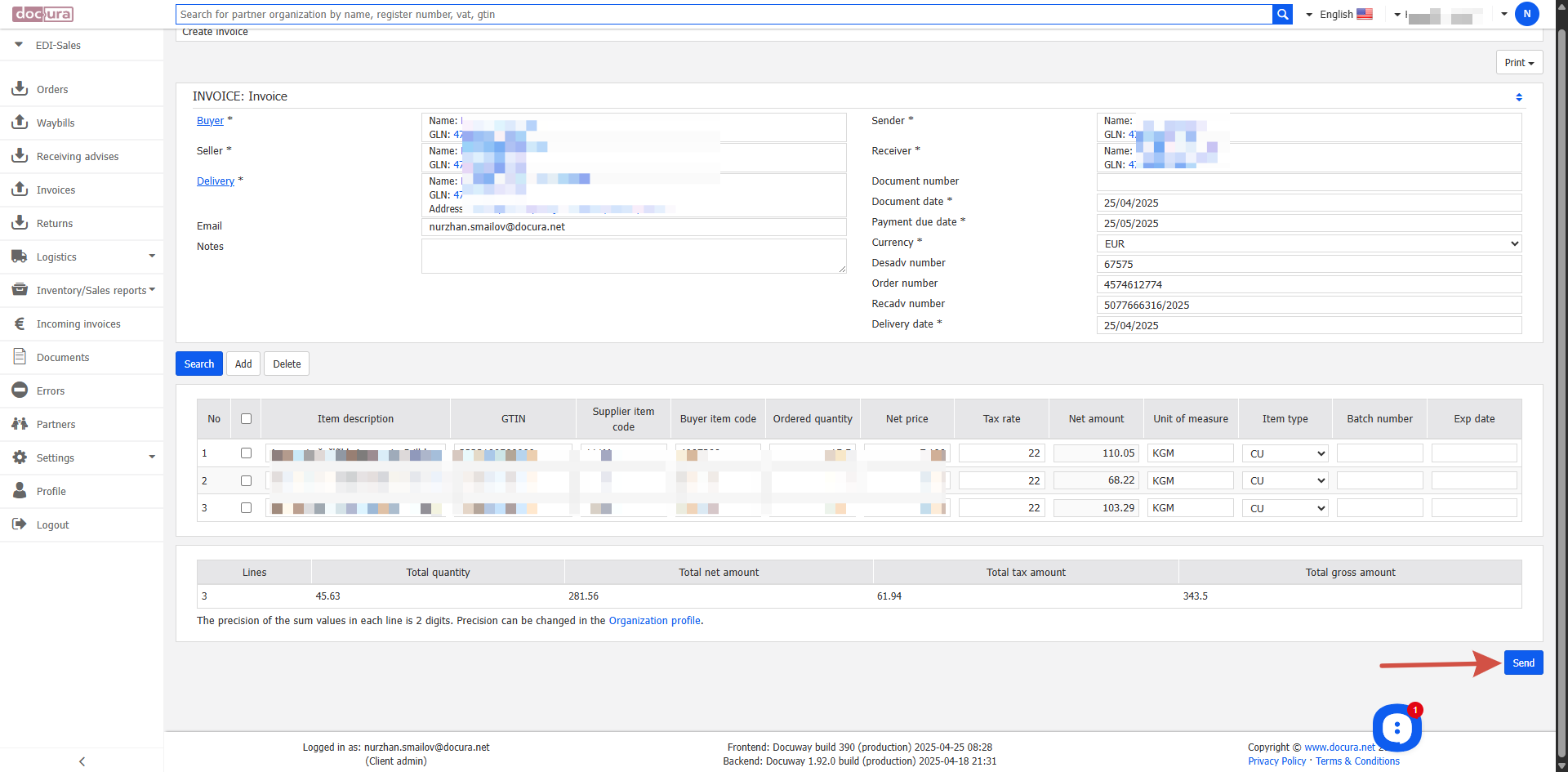
- In the new window check the data and correct it if necessary.
- After checking click Send to send the INVOICE to the customer.